Installing CMS using the autoinstaller

Go to cPanel -> Softaculous Apps Installer


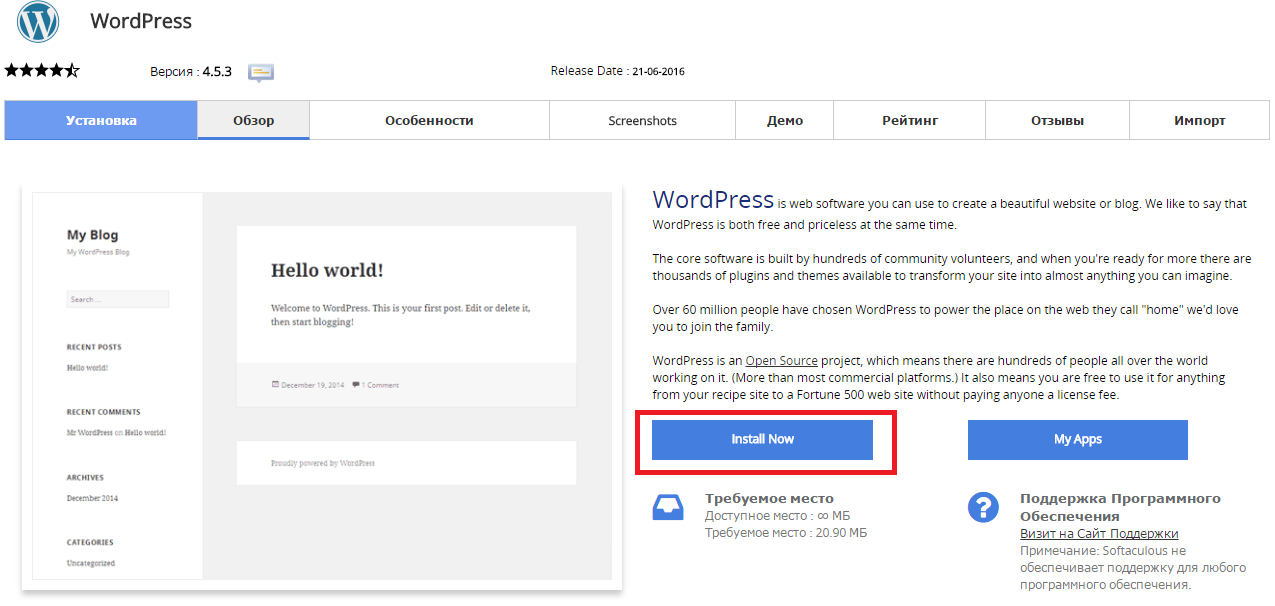
Press “Install Now” to install Wordpress

Снимок2.PNG

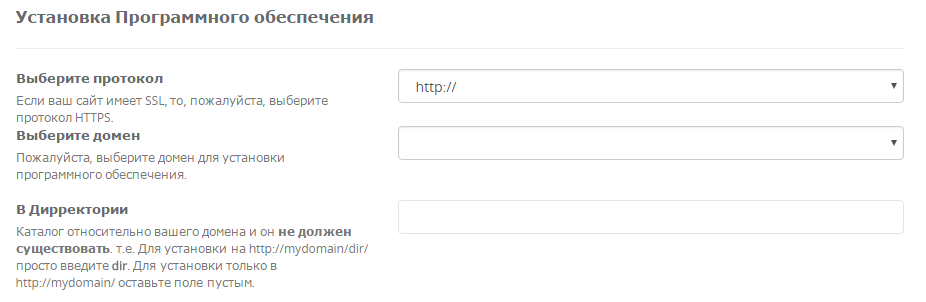
Fill in the folowing data

Снимок3.PNG

  • You should choose HTTP or HTTPS protocol.

  • Choose the domain to install the software.

  • Enter a directory where the Wordpress will be installed. You shouldn't create the derictory before CMS installation. To install only in http://mydomain/ leave this empty.


In the following field you should enter Site Name and Site Description. These data can be changed after installation. Снимок4.PNG


Hjalp dette svar dig?

 Print denne artikel

Læs også

Which mysql server should be written in the configuration files?

Pleas use "localhost".

How to Change memory_limit

1. Log into cPanel. Click the Select PHP Version button in the Software section 2. Press Switch...

I have registered for your hosting and have my own domain name. What do I need to do now?

You should transfer your domain name to our DNS servers: ns1.sherlockhost.co.uk,...

Settings for the database connection

  Server, username and password are given in the email "New Account Information".  DB_NAME - is...

How to Order Dedicated IP and SSL Certificate

SSL Certificates provide a secure encrypted connection between a browser and a server. The SSL...