Installing CMS using the autoinstaller

Go to cPanel -> Softaculous Apps Installer


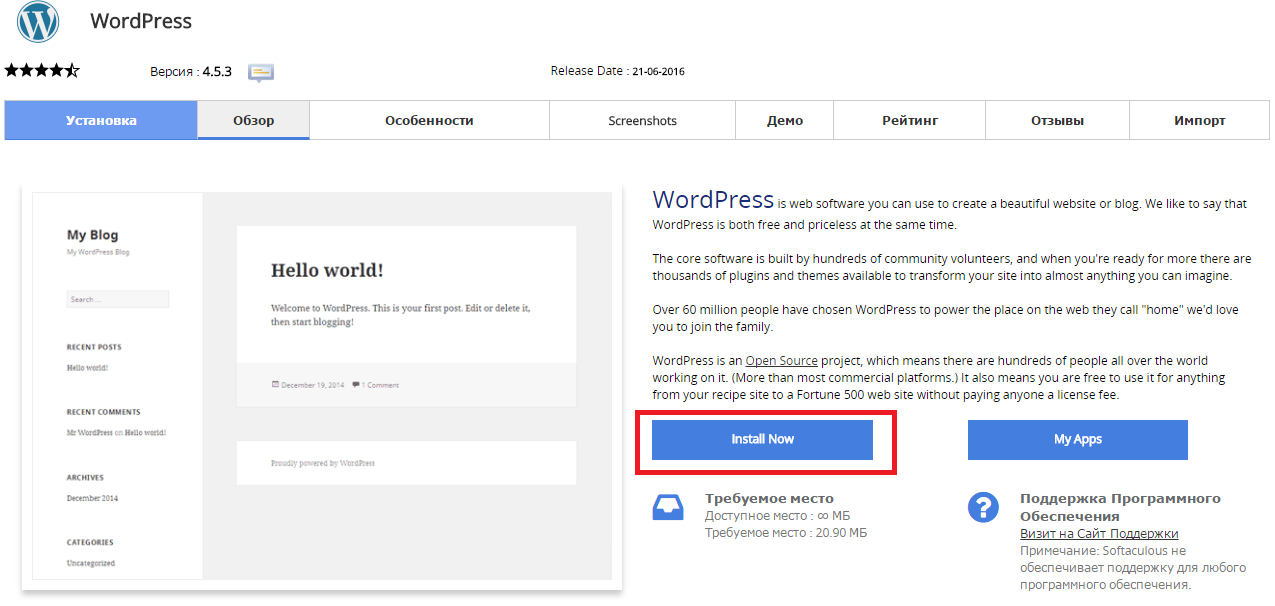
Press “Install Now” to install Wordpress

Снимок2.PNG

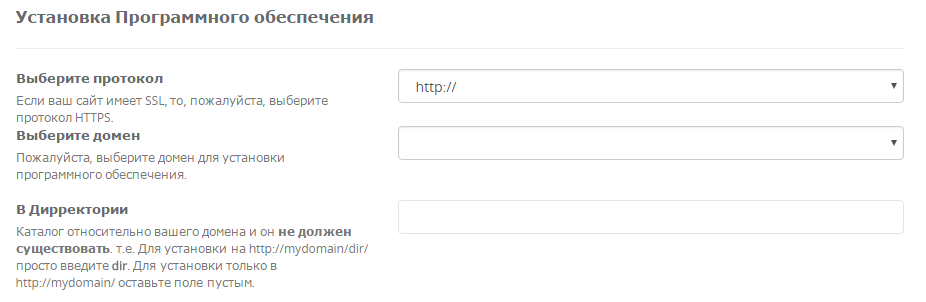
Fill in the folowing data

Снимок3.PNG

  • You should choose HTTP or HTTPS protocol.

  • Choose the domain to install the software.

  • Enter a directory where the Wordpress will be installed. You shouldn't create the derictory before CMS installation. To install only in http://mydomain/ leave this empty.


In the following field you should enter Site Name and Site Description. These data can be changed after installation. Снимок4.PNG


Kas see vastus oli kasulik?

 Prindi artikkel

Loe veel

How can I create an FTP-account?

When you buy hosting from us this includes one main FTP account that has access to all hosting...

I changed my DNS server an hour ago but nothing has happened.

It takes from 12 - 48 hours for this to be done, you have to be patient.

Installation Composer Instruction

1. To install Composer log in to your account via SSH.Use the command echo 'alias composer="php...

Where can I change files or folders permissions?

Permissions can be changed at cPanel - "File Manager" - select files/folder - click "Change...