Installing CMS using the autoinstaller

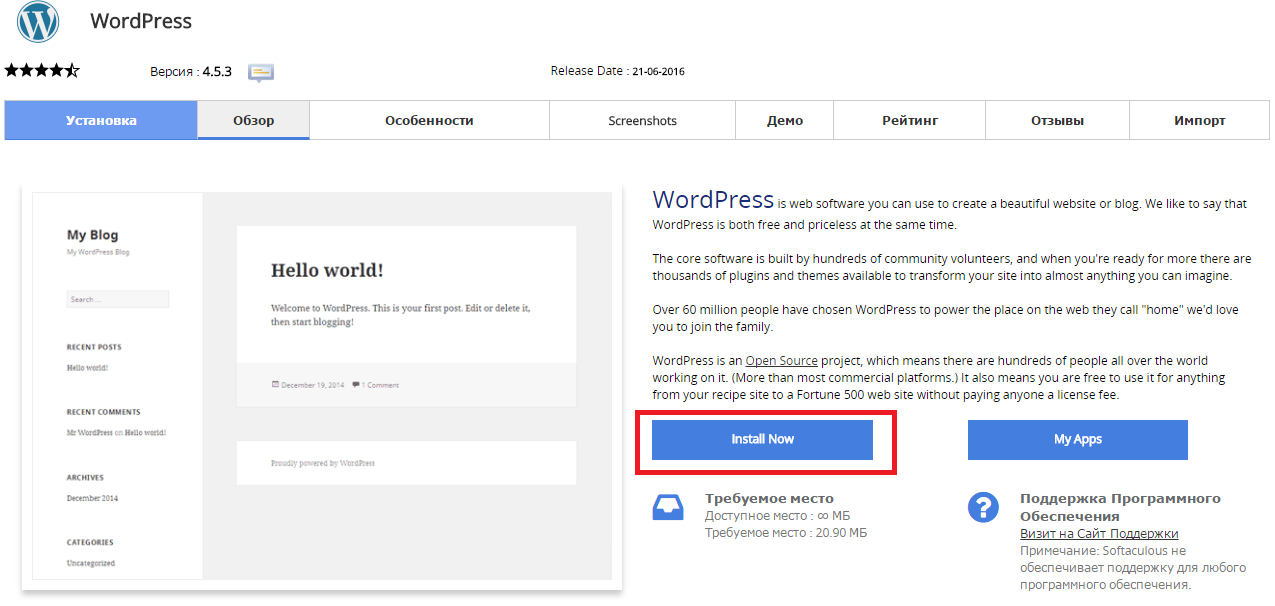
Go to cPanel -> Softaculous Apps Installer


Press “Install Now” to install Wordpress

Снимок2.PNG

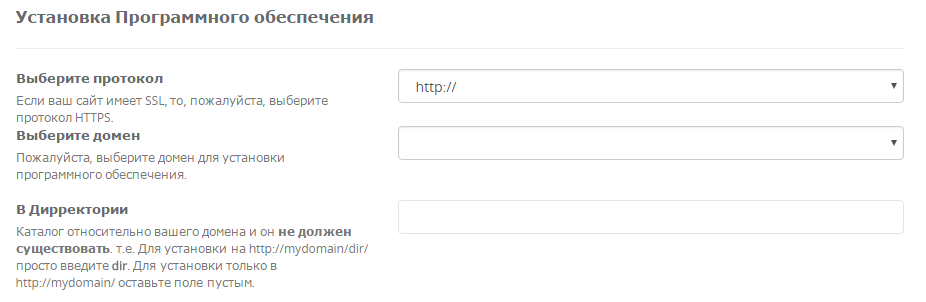
Fill in the folowing data

Снимок3.PNG

  • You should choose HTTP or HTTPS protocol.

  • Choose the domain to install the software.

  • Enter a directory where the Wordpress will be installed. You shouldn't create the derictory before CMS installation. To install only in http://mydomain/ leave this empty.


In the following field you should enter Site Name and Site Description. These data can be changed after installation. Снимок4.PNG


?האם התשובה שקיבלתם הייתה מועילה

 הדפסת המאמר

קראו גם

Which mysql server should be written in the configuration files?

Pleas use "localhost".

How can the cPanel language be changed?

Go to «Preferences» → «Change Language».

What are the settings for an FTP-connection?

Go to cPanel "Files" - "FTP-accounts". Go to the "Special FTP Accounts" table where you will be...

Where can I change files or folders permissions?

Permissions can be changed at cPanel - "File Manager" - select files/folder - click "Change...

What is the channel width of the virtual hosting server?

The width of each server channel is 1 Gbit per second.