Installing CMS using the autoinstaller

Go to cPanel -> Softaculous Apps Installer


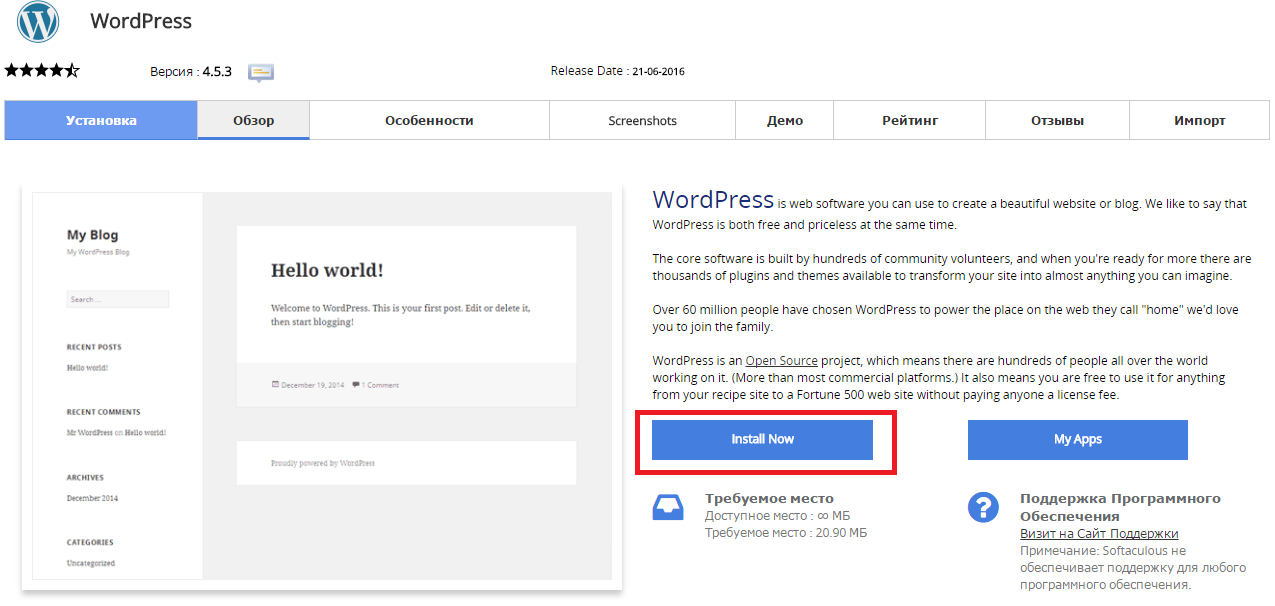
Press “Install Now” to install Wordpress

Снимок2.PNG

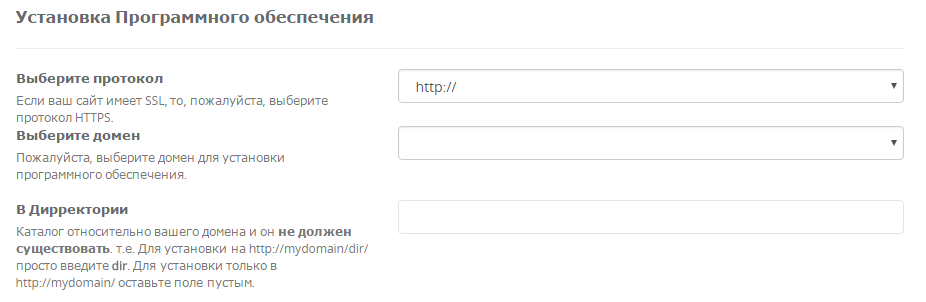
Fill in the folowing data

Снимок3.PNG

  • You should choose HTTP or HTTPS protocol.

  • Choose the domain to install the software.

  • Enter a directory where the Wordpress will be installed. You shouldn't create the derictory before CMS installation. To install only in http://mydomain/ leave this empty.


In the following field you should enter Site Name and Site Description. These data can be changed after installation. Снимок4.PNG


Hasznosnak találta ezt a választ?

 Kinyomtatja ezt a cikket

Ezenkívül olvassa el

I have registered for your hosting and have my own domain name. What do I need to do now?

You should transfer your domain name to our DNS servers: ns1.sherlockhost.co.uk,...

What is .htaccess?

.htaccess  file is a configuration file supported by a number of web servers, used for...

Settings for the database connection

  Server, username and password are given in the email "New Account Information".  DB_NAME - is...

How Can I Edit php.ini Using SSH (putty)?

Connect to the server using SSH. launch Putty. For example, Host Name: host17.sherlockhost.co.uk,...

How to Order Dedicated IP and SSL Certificate

SSL Certificates provide a secure encrypted connection between a browser and a server. The SSL...