Installing CMS using the autoinstaller

Go to cPanel -> Softaculous Apps Installer


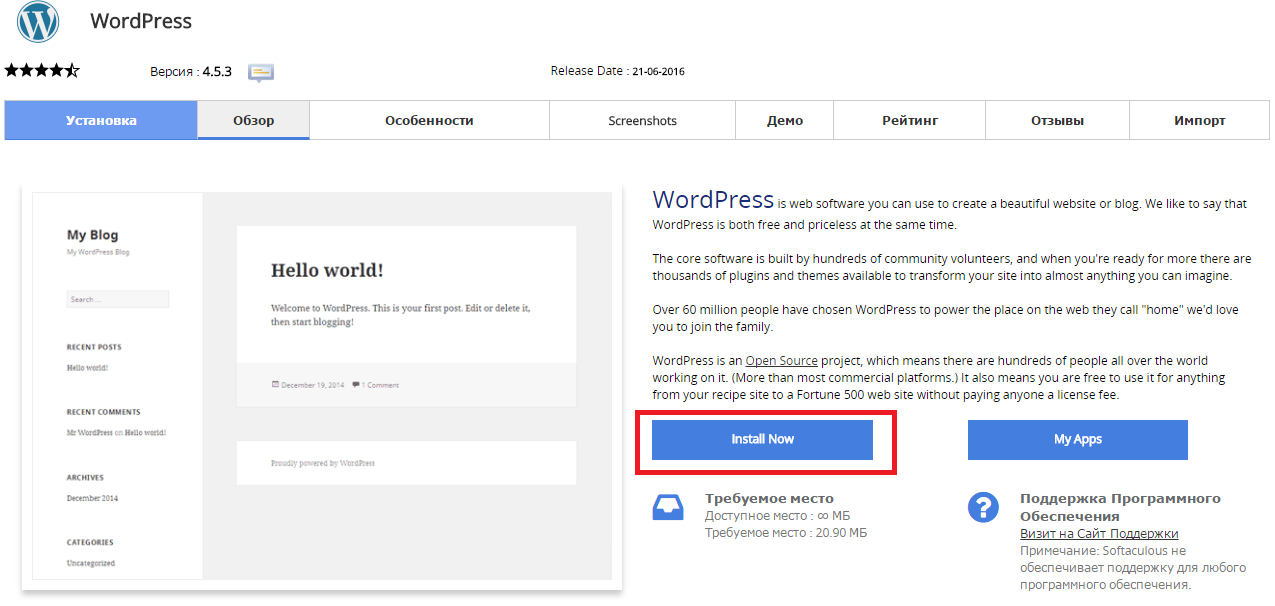
Press “Install Now” to install Wordpress

Снимок2.PNG

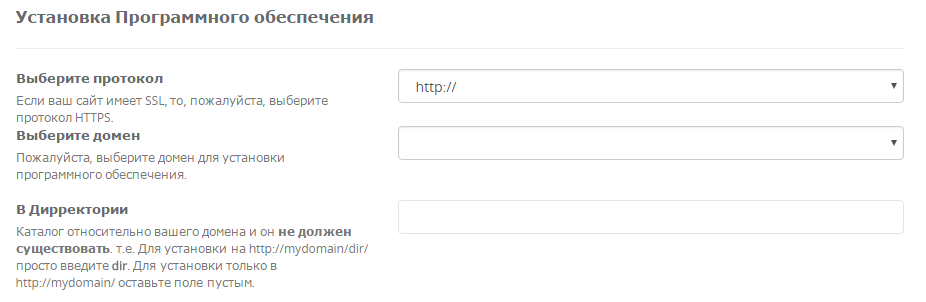
Fill in the folowing data

Снимок3.PNG

  • You should choose HTTP or HTTPS protocol.

  • Choose the domain to install the software.

  • Enter a directory where the Wordpress will be installed. You shouldn't create the derictory before CMS installation. To install only in http://mydomain/ leave this empty.


In the following field you should enter Site Name and Site Description. These data can be changed after installation. Снимок4.PNG


Дали Ви помогна овој одговор?

 Испечати

Исто така прочитајте

Information concerning an SSH connection

If you have an account with cPanel control panel, please add your keys to it and authorize. It...

Inode Usage

An inode is a data structure used to keep information about a file on your hosting account. The...

How Do I Add DKIM Records to my DNS?

Go to cPanel to Email section, click Authenticanion link. If the DKM is enabled but DNS record...

How to Order Dedicated IP and SSL Certificate

SSL Certificates provide a secure encrypted connection between a browser and a server. The SSL...

How Can I Edit php.ini Using SSH (putty)?

Connect to the server using SSH. launch Putty. For example, Host Name: host17.sherlockhost.co.uk,...