Installing CMS using the autoinstaller

Go to cPanel -> Softaculous Apps Installer


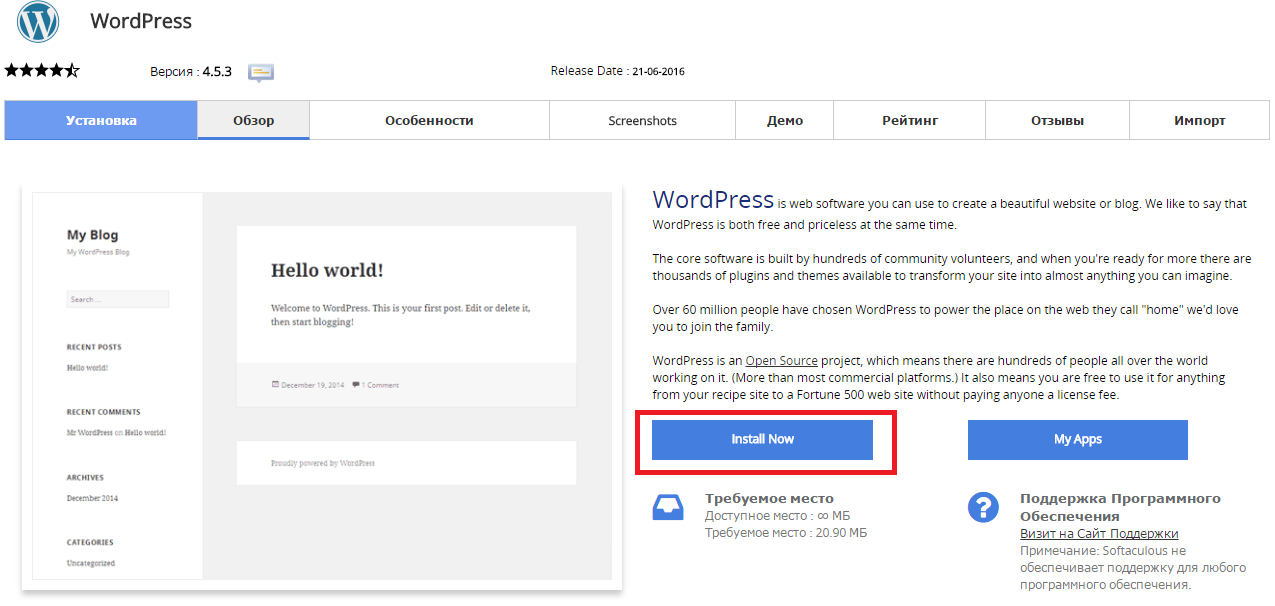
Press “Install Now” to install Wordpress

Снимок2.PNG

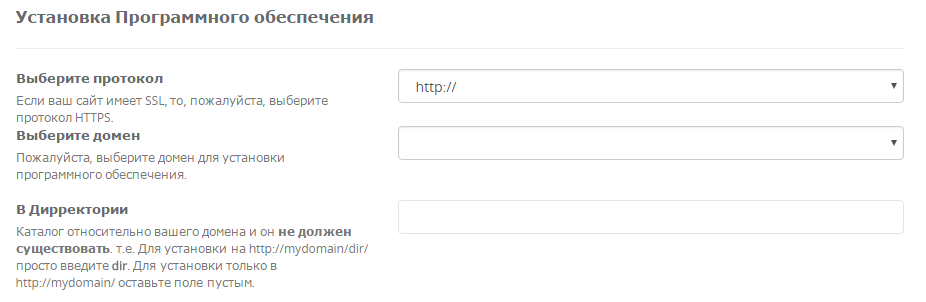
Fill in the folowing data

Снимок3.PNG

  • You should choose HTTP or HTTPS protocol.

  • Choose the domain to install the software.

  • Enter a directory where the Wordpress will be installed. You shouldn't create the derictory before CMS installation. To install only in http://mydomain/ leave this empty.


In the following field you should enter Site Name and Site Description. These data can be changed after installation. Снимок4.PNG


Esta resposta lhe foi útil?

 Imprimir este Artigo

Veja também

How Can I Edit php.ini Using SSH (putty)?

Connect to the server using SSH. launch Putty. For example, Host Name: host17.sherlockhost.co.uk,...

How to Change memory_limit

1. Log into cPanel. Click the Select PHP Version button in the Software section 2. Press Switch...

How to Change your Email Password

Login to cPanel and click on the Email Accounts icon located in the MAIL section.   From the...

What is the channel width of the virtual hosting server?

The width of each server channel is 1 Gbit per second.

How to Upload a Website Content with cPanel?

1. Go to the "Files" block, click on the "File manager" icon. Choose the "public_html/www"...