How Can I Edit php.ini Using SSH (putty)?
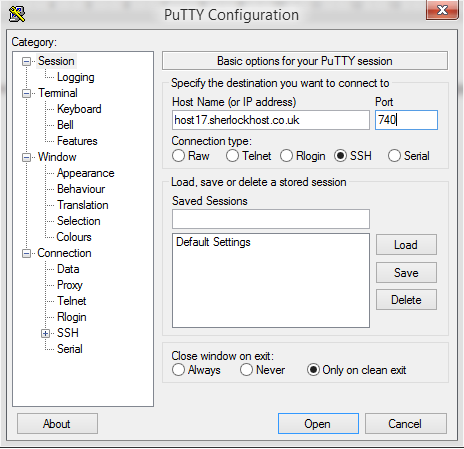
Connect to the server using SSH. launch Putty. For example, Host Name: host17.sherlockhost.co.uk, port 740
Use keyboard shortcut shift+insert to enter login and password
Add a comand to edit php.ini version
PHP version
Comand
PHP 5.2
nano /etc/cl.php.d/alt-php52/alt_php.ini
PHP 5.3
nano /etc/cl.php.d/alt-php53/alt_php.ini
PHP 5.4
nano /etc/cl.php.d/alt-php54/alt_php.ini
PHP 5.5
nano /etc/cl.php.d/alt-php55/alt_php.ini
PHP 5.6
nano /etc/cl.php.d/alt-php56/alt_php.ini
PHP 7.0
nano /etc/cl.php.d/alt-php70/alt_php.ini
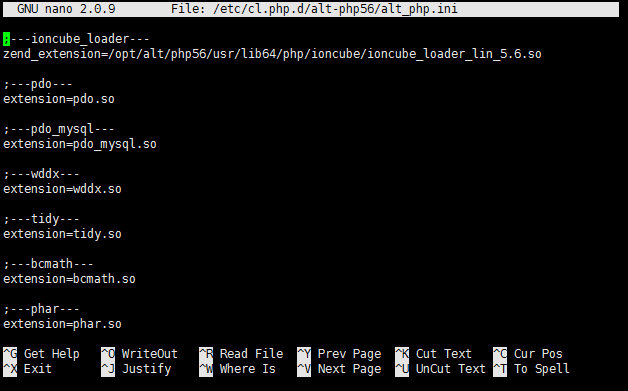
Insert the comand and you'll see the following window:All changes are to be entered in the end of the file. Press F2 to save changes, then press Y. To end the prosedure press Ctrl+X and close the window.