How to Create Email Accounts in cPanel

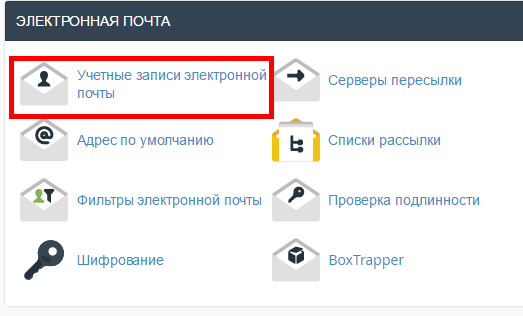
First, you need to login to cPanel and click on the Email Accounts icon located in the MAIL section.


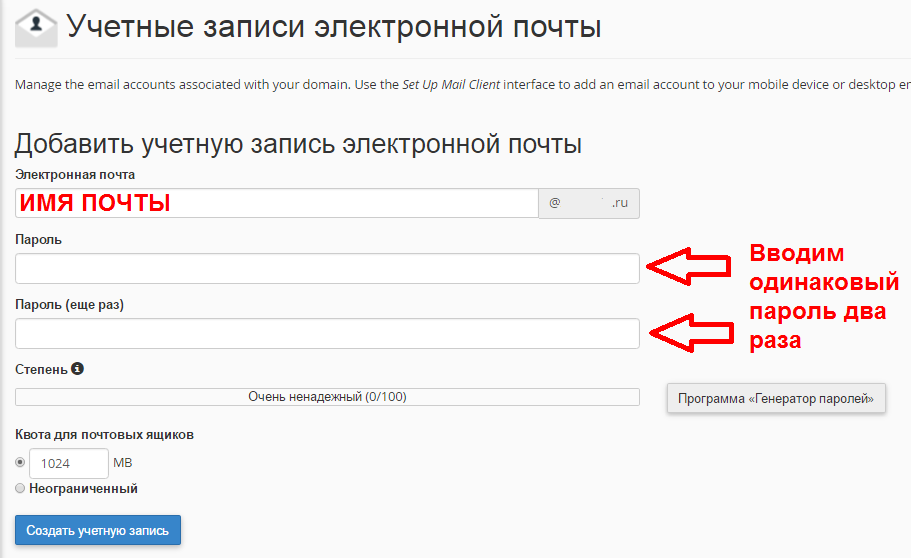
Next, you will need to type in the new Email account you want to create and fill the necessary information for it.

Was this answer helpful?

 Print this Article

Also Read

How Do I Add DKIM Records to my DNS?

Go to cPanel to Email section, click Authenticanion link. If the DKM is enabled but DNS record...

Change Upload/Download File Size

1. Log into cPanel. Click the Select PHP Version button in the Software section  2. Press...

How Can I Create a Subdomain?

Go to сPanel, open "Domains", choose the "Subdomains" link, choose one of domains and type in the...

I have registered for your hosting and have my own domain name. What do I need to do now?

You should transfer your domain name to our DNS servers: ns1.sherlockhost.co.uk,...

Where can I change my cPanel password?

You can do that in the customer area, go to "Services" - "My services" - "View details" - "Change...